A prompt sent to a phone is not proof that a delivery is paid. Stay on the Moveka payment page for this delivery and read its current status.
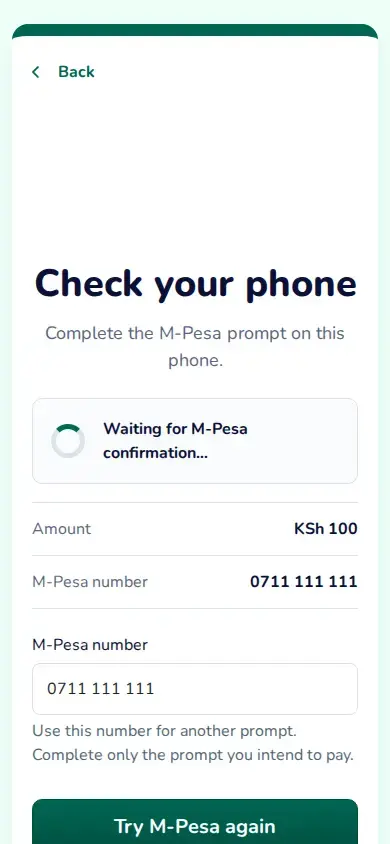
Try M-Pesa again sends another prompt even if the first result is still pending or unclear. The first prompt may still complete; paying both prompts can charge you twice. Complete only one prompt.
- If the page says Waiting for payment confirmation, finish the prompt on the phone shown and wait for Moveka to confirm the result.
- If payment preparation failed before a prompt was sent, tap Retry preparing payment. Check the amount and phone number before continuing.
- If the prompt was not accepted, or the request expired or was cancelled, use Try M-Pesa again only if the page shows it. Check the number before sending another prompt and complete only the prompt you intend to pay.
- If the result is unclear, leave this page open while Moveka keeps checking. If you choose Try M-Pesa again, remember that the first prompt may still complete too.
Only a confirmed payment completes this step. A message from M-Pesa or returning to Moveka does not by itself confirm payment.