This is a separate step from creating your personal Moveka login. First verify your email and phone, then sign in.
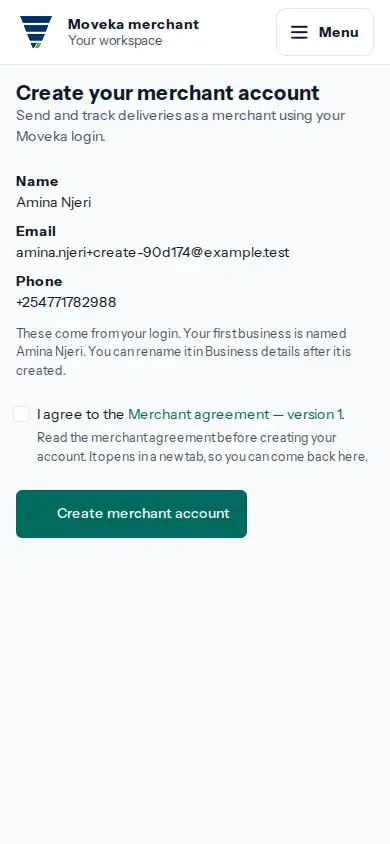
- After sign-in, if you do not have a merchant account, Moveka opens Create your merchant account. Check the name, email and phone shown; they come from your login.
- Read the merchant agreement. If you agree, tick the box and tap Create merchant account.
- When Moveka says the account is recorded, tap Open merchant workspace. Your first business starts with your login name; you can change its details later.
If the agreement changed, review the current version before agreeing again. If account creation is not confirmed, choose Review this merchant account before trying again.