Start this after you have submitted the merchant registration form. Both contacts must be verified before Moveka creates your login.
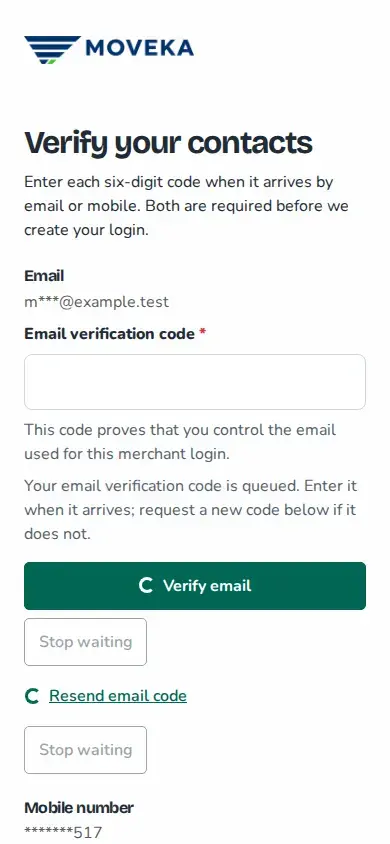
- On Verify your contacts, enter the six-digit code from your email and tap Verify email.
- Enter the separate six-digit code sent to your mobile and tap Verify mobile number. Check that each contact shows Verified.
- If a code does not arrive, read the delivery message on the page, then tap Resend email code or Resend mobile code for that contact.
- When both are verified, tap Create merchant account. The next page says your merchant account is ready; tap Sign in.
After both contacts are verified, create your merchant account
Queued or submitted means a code request is in progress; it does not confirm that the message arrived. If the email or number is wrong, choose Start again. If verification or account creation is not confirmed, use Review registration or try signing in before restarting.