- Open the business workspace and tap Add business. Only the Merchant Owner can add one.
- Enter the required Legal or registered name. You may also enter a Trading or display name and Default sender name, Default sender email and Default sender phone.
- Complete the requested security check, then tap Create business. Depending on your account, the check may ask for your current password, an authenticator code, or an email code. For an email code, tap Send verification code and enter the code you receive.
- Moveka opens the new business workspace.
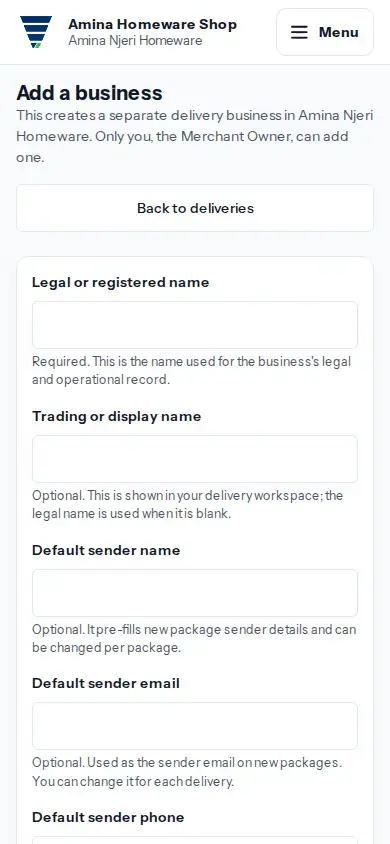
View larger image: Add another delivery business under this merchant account. (opens in a new tab)
If the form shows an error, correct the highlighted details and tap Create business again. If Add business is not available, ask the Merchant Owner to make the change.