Use the package as it is packed. Moveka asks these questions to check how it can be handled and delivered.
1. Describe the packed item
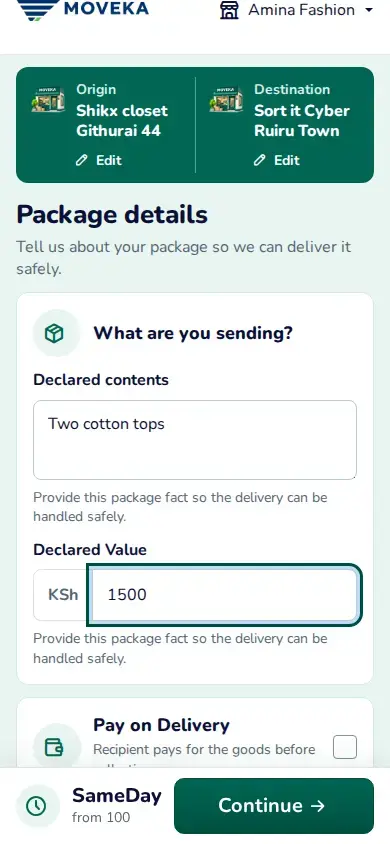
- On Package details, enter what is inside in everyday words. Describe the item in its wrapping, not just the outer box.
- Enter its value and answer the size, weight, quantity or handling questions shown. The questions depend on the delivery service and the package; follow the units and help text beside each one.
- If you selected Pay on Delivery, enter the amount the recipient must pay for the goods. This is separate from the delivery charge.
2. Add the people
Tap Continue to enter Sender and Recipient. Sender is the person handing the package to Moveka; Recipient is the person receiving it. Check each name and phone number before continuing.
Something is missing or marked?
Correct the highlighted answer on this page. Your other entries stay available when Moveka asks you to fix a detail. If the required answer is unclear, use the explanation beside that question.