Review your delivery gathers the choices you have made so far. Read it before you continue, especially after changing a package or contact detail.
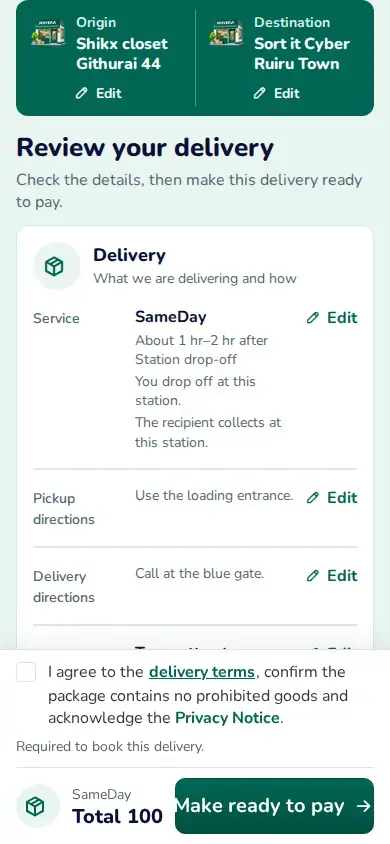
- Check Origin and Destination, delivery service and any pickup time.
- Check Package details, Sender and Recipient names and phone numbers, and any Pay on Delivery amount and charge shown.
- Read the current delivery charge. If something is wrong, tap Edit beside that section, make the correction and return to review.
Choose the next step
For a public delivery, read the delivery terms and prohibited-goods information. If you agree, tick the agreement and tap Continue to go to payment. For a merchant delivery, read the same terms and tap Make ready to pay. Then use Go to Ready to pay to find the reviewed order.
Ready to pay means the merchant delivery is waiting for its payment step. It does not mean payment is confirmed.