Your Moveka login belongs to you. Use your personal name, email and Kenyan mobile number, even if you will send packages for a business.
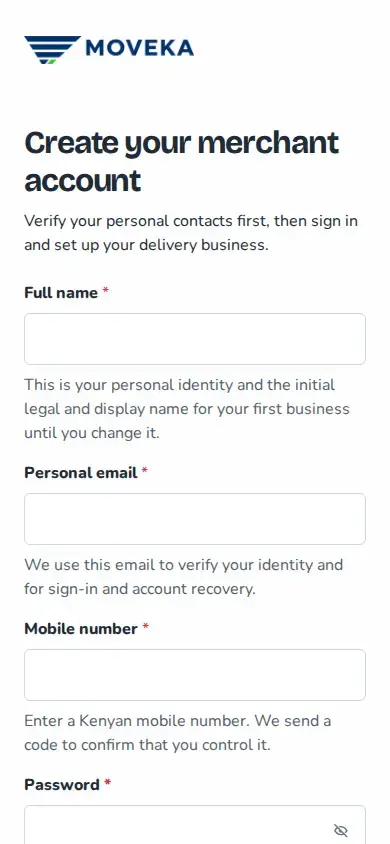
- At moveka.africa, open the menu and choose Create a merchant account.
- Enter your name, email and Kenyan mobile number. Choose a password with at least 12 characters, then enter it again to catch typing mistakes.
- Read the merchant agreement. If you agree, select its checkbox and tap Continue to verification.
If Moveka says these details already belong to a login, sign in with it or choose Forgot password. If you later find a registration was not confirmed, review it before starting again.