- Open Menu and tap Switch business.
- On Choose a merchant business, check the merchant account name and the business name. Tap Open delivery workspace beside the business you need.
- Check the business name at the top of the workspace before continuing. If there are many, search by merchant account or business name.
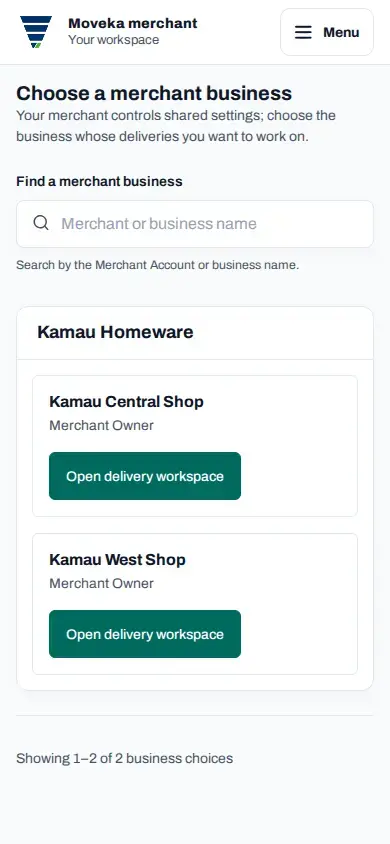
If you do not have access to a business yet, ask its Merchant Owner or a Merchant Admin to add you, then open your workspace again. If search has no matches, try another name or clear the search to see the full list.