Sender defaults apply only to the selected business. Switch into that business, then open Menu and tap Sender defaults (or tap Set sender defaults on the workspace).
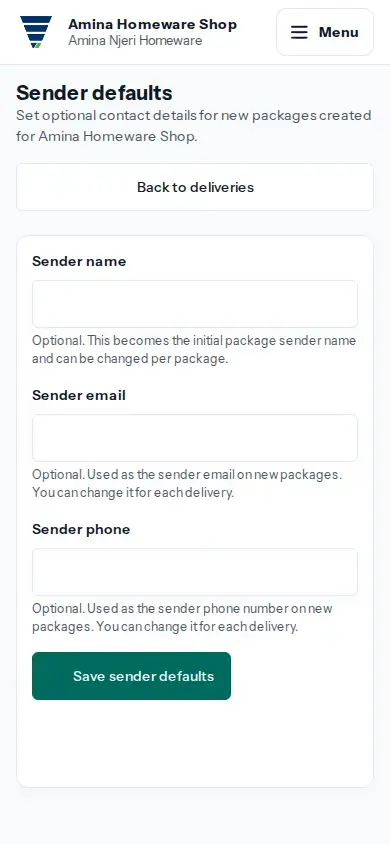
- Enter any Sender name, Sender email or Sender phone you want prefilled. All three are optional.
- Tap Save sender defaults.
- When you prepare a package, check the sender details and change them for that delivery if needed.
If a field is rejected, correct it and save again. If the result is uncertain, choose Review sender defaults and check the saved values before trying again.