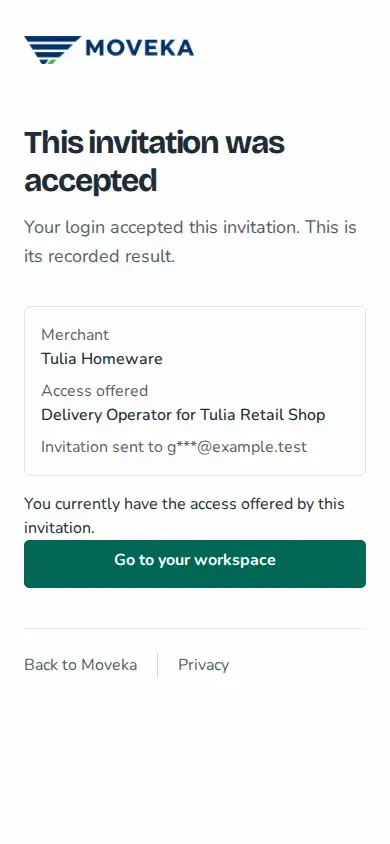
A merchant invitation is for one email address. Open the link from the invitation email within seven days, and check the merchant name and access offered before accepting.
- Open the invitation link and review the merchant and business roles on the page. If you were not expecting this access, close the page and contact the person who invited you.
- If you already have a Moveka login, sign in. Check the login named on the invitation page before accepting: it may let you accept with the login you are currently using, even if it has another email. If you do not have a login, follow the page to confirm a phone number you control by SMS, then create your login using the invited email.
- When the invitation details are ready, choose Accept invitation and complete any security check requested. The merchant access is added only after acceptance is confirmed.
- Open your merchant workspace. If the invitation gave access to particular businesses, choose the business you need before working on its deliveries.
If you cannot continue
- Signed in with the wrong email? Sign out, then sign in with the email that received the invitation and open its link again.
- Link expired? If the page offers Email me a new link, request one and check that mailbox. If it does not, ask the inviter to send a new invitation.
- Invitation replaced or withdrawn? Open the newest email, or ask the inviter to send another invitation if you still need access.
- SMS code or login step failed? Use Check invitation to reload the current steps. Request another code if the page offers it; the inviter can resend the invitation if its link is no longer usable.
The invitation link is for the invited email address. Do not forward it to someone else; ask the merchant to invite the right person instead.