When Attach a paper label is available on your public tracking page, you can scan the label QR or type its code to connect that paper label to the package.
- Open the package’s tracking page and expand Attach a paper label. Tap Scan QR or type the code into the label-code field.
- Enter the nine-character code printed vertically beside the QR, then tap Attach label. The handwritten boxes below the QR contain the Package reference; they are a different code.
- If a label is damaged and Replace a paper label is offered, enter or scan the current label code and an unused replacement code, then tap Replace label.
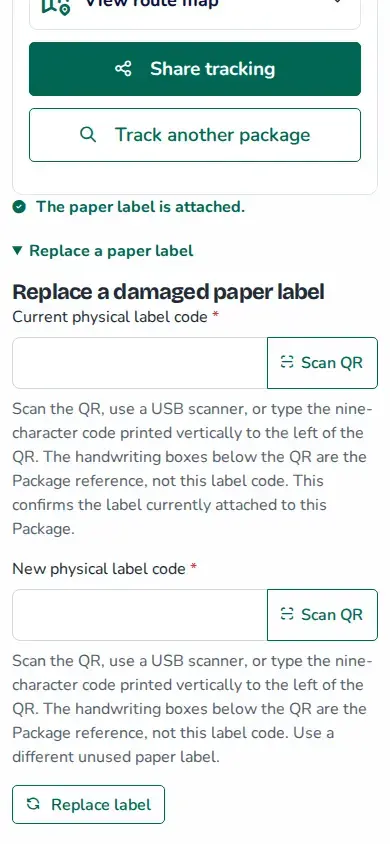
Use the Package reference to identify and track the delivery. Use the label code only to attach or replace its paper label.