Open the package’s public tracking page using the sender’s link or package reference. The page shows the latest recorded status and next step.
- Tap Share tracking and choose a person or app from your phone’s share options. If sharing is unavailable, Moveka tries to copy the tracking link. If sharing or copying fails, copy the address from your browser to send it.
- If the link cannot be shared or copied, send the Package reference instead. The recipient can open Moveka, choose Track a package, enter the reference and tap Track.
- Share updates from the written status. Payment, pickup and delivery are separate events, so do not describe a requested payment or expected handoff as complete.
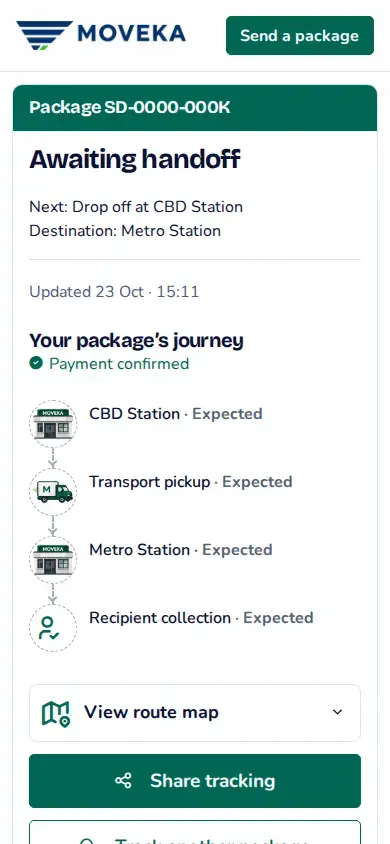
Share the public tracking link or Package reference. Keep merchant sign-in and workspace links private.