Explore Moveka

Guide

Replace a Direct M-Pesa handle

Replace a handle after the provider rejects it or confirms it is disabled.

Published 24 Oct 2026 · Updated 25 Oct 2026 · By Moveka

Only the Merchant Owner can replace a handle. Replace handle is available only after the current handle is Rejected or the wallet service confirms it is Disabled. An Active handle cannot be replaced from this screen.
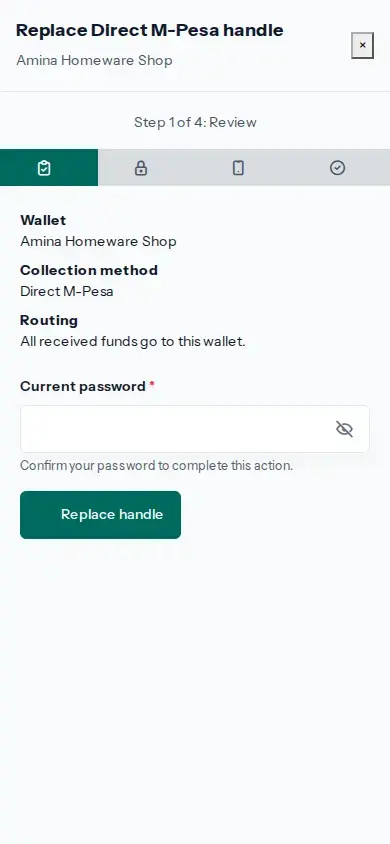
Practice screen: replace a handle only after the current one is rejected or confirmed Disabled, and review the destination wallet again.
Practice example: replace a handle only after the current one is rejected or confirmed Disabled, and review the destination wallet again.

View larger image: Practice screen: replace a handle only after the current one is rejected or confirmed Disabled, and review the destination wallet again. (opens in a new tab)

  1. From Profile, open Menu → Your account → Wallets. Choose the correct Merchant wallet, then select Direct M-Pesa handles.
  2. Check that the current status is Rejected or Disabled.
  3. Choose Replace handle. Review the wallet and confirm all received funds will go to that wallet. Complete the account security check and choose Replace handle.
  4. Enter the current Wallet PIN to request a new activation code, then enter the code sent by the payment provider and choose Confirm activation.
  5. Use the new handle only after its status is Active and its Paybill and account number are shown.
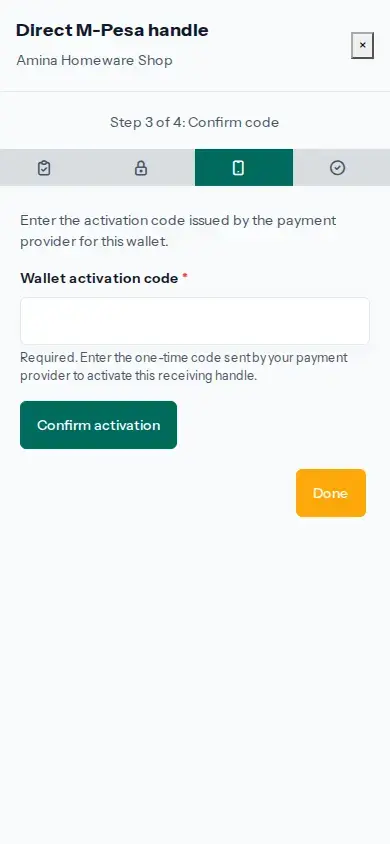
Practice screen: enter the code the payment provider sent for this wallet; the code field is blank in this image.
Practice example: enter the code the payment provider sent for this wallet; the code field is blank in this image.

View larger image: Practice screen: enter the code the payment provider sent for this wallet; the code field is blank in this image. (opens in a new tab)

Practice screen: the replacement is ready only after its own status becomes Active.
Practice example: the replacement is ready only after its own status becomes Active.

View larger image: Practice screen: the replacement is ready only after its own status becomes Active. (opens in a new tab)

Earlier handles remain listed as history. Check the wallet name and current status before sharing payment instructions.