Moveka saves receiver contact details from delivery drafts you review. The Customers directory helps the Merchant Owner or Merchant Admin find a receiver phone and manage whether it appears in future suggestions for that merchant. It does not verify who owns the phone.
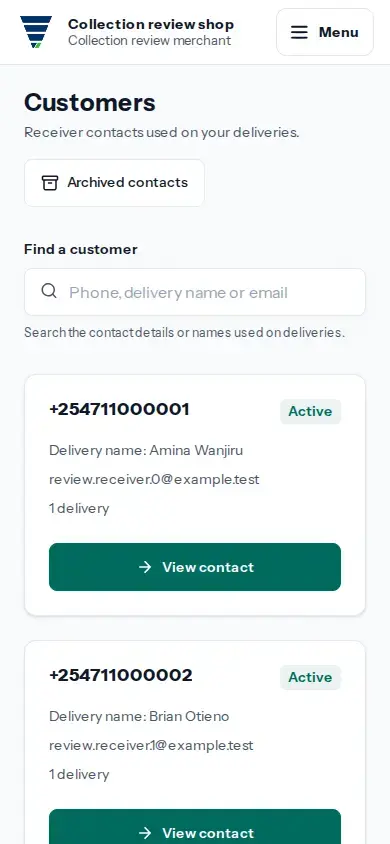
View larger image: Search the saved receiver contacts from reviewed deliveries. (opens in a new tab)
- Open the merchant workspace and tap Customers in the business administration menu. If you do not see Customers, ask the Merchant Owner or Merchant Admin; other roles cannot manage this directory.
- Search by phone, delivery name or email. Open the matching contact to see its active or archived status and recent delivery uses. If there are no matches, clear the search or try another name or phone number.
- To hide an active phone from future receiver suggestions, choose Archive contact. Enter why it should be hidden, complete the security check and submit. The reason is required for the access record.
- To make an archived phone available in future suggestions again, open Archived contacts, choose the phone and select Restore contact. Complete the security check.
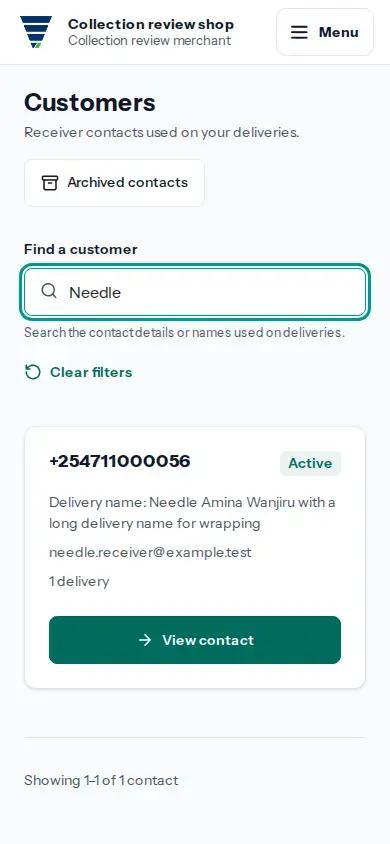
Archiving changes future suggestions for the merchant. It does not change receiver details on existing deliveries. Moveka saves contacts from reviewed delivery details.
If the security check or reason is refused, the contact stays in its current state. Correct the reason or complete the requested check on the contact page, then submit again.