The Delivery payment wallet pays your business's delivery fees when you choose the merchant-paid option. It is separate from the Goods proceeds wallet that receives digital Pay on Delivery payments.
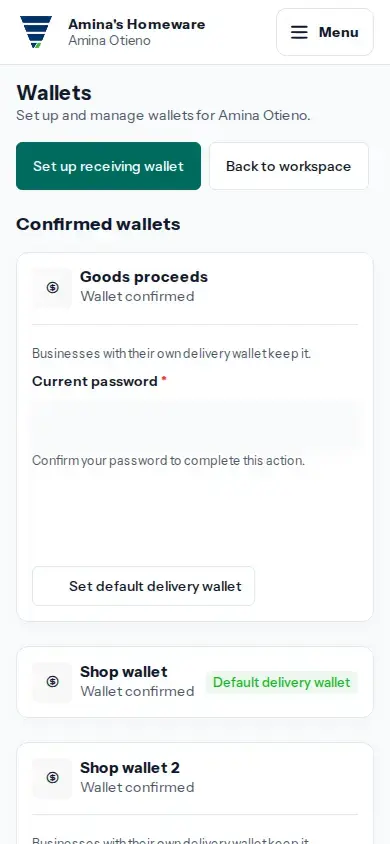
- Sign in as the Merchant Owner and open the business workspace whose wallet you want to change.
- Open Menu, then Wallets. Under Wallet for each business, find the business name.
- Under Change delivery wallet, choose a confirmed wallet or Use the default wallet, then tap Save delivery wallet.
- Complete the requested security check. Check the business row again to see the selected Delivery payment wallet.
- To set the default for businesses without their own choice, use Set default delivery wallet on a confirmed wallet. A business with its own selected wallet keeps that choice.
This setting selects a wallet for delivery charges. Set up the goods receiving wallet separately.