From Profile, open Menu → Your account → Wallets, choose the correct Merchant wallet, then select Direct M-Pesa handles. Only the Merchant Owner can manage a handle. Read its current status before taking another action.
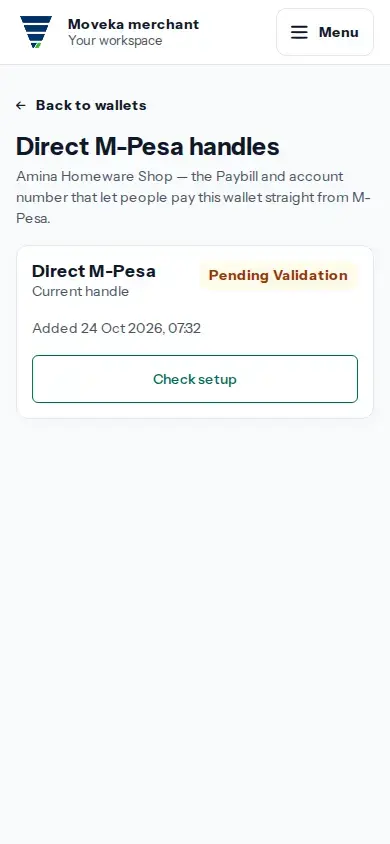
- If the setup result was uncertain, choose Check setup. This checks the existing request; do not start another handle while its result is unknown.
- If the page shows Pending validation, choose Check setup to open the current handle, then choose Refresh to read the provider’s latest status.
- If the status is Active, the handle is ready and its Paybill and account number are shown.
- If the status is Rejected, use Check setup to review the result. Replace handle is available only when the rejected handle can be retired.
- If the provider still has no update, leave the handle in place and check its status again later. A pending or unknown status is not confirmation that people can pay this handle.
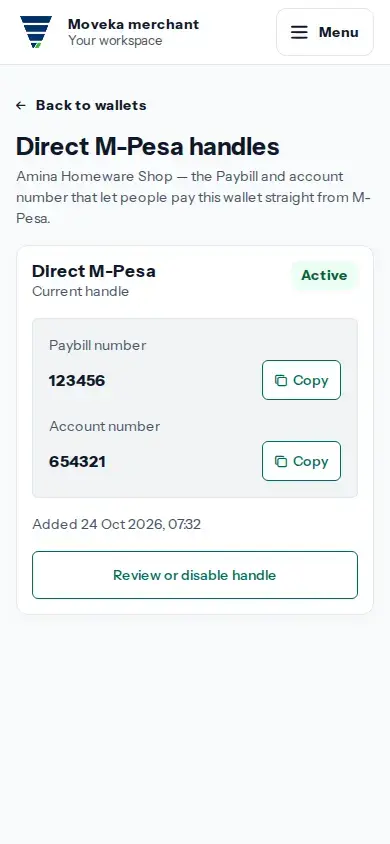
Only an Active status with the Paybill and account number shown confirms that this handle is ready.