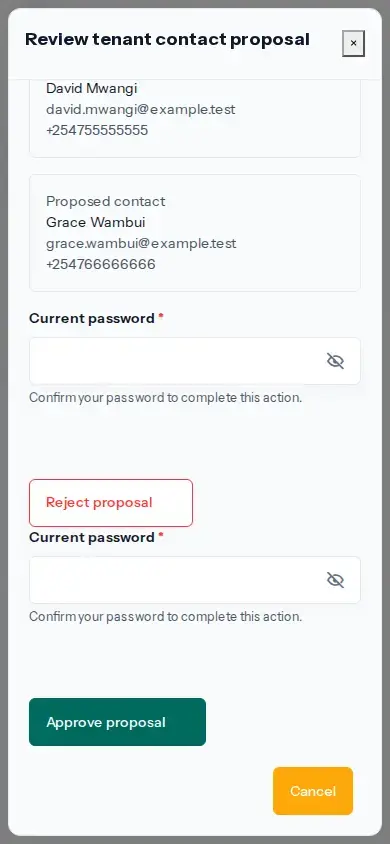
Open the operating account and choose Stations. An effective account administrator with account-management access can find the Station marked Awaiting approval and choose Review the proposed contact. Compare the current contact with the proposed name, email and phone before deciding.
Approve or reject the proposal
- Choose Approve proposal only if the proposed contact details are correct for this account. Complete the requested verification.
- If any proposed detail is wrong or unexpected, choose Reject proposal. The current contact remains in use.
- After approval, check the status. If the email changed, the page says it is waiting for the new email to be verified. Choose Enter the email code and enter the six-digit code sent to that replacement email.
- If the code has expired or did not arrive, use Send another code when it is shown, then enter the latest code.
Approval does not make a replacement email authoritative. It becomes the current contact only after the new mailbox is verified. Until then, the page identifies the verification as pending.
If approval or verification fails, return to Stations and review the current proposal status. Do not submit a duplicate change without checking whether the earlier action took effect. Only an effective account administrator can manage the Station tenant contact.