Open the operating account and choose Stations, then Review nominated invitations. Only an account administrator with account-management access can accept or reject these Moveka-nominated invitations. Check the Station name, proposed organization, tenant contact and invitation expiry.
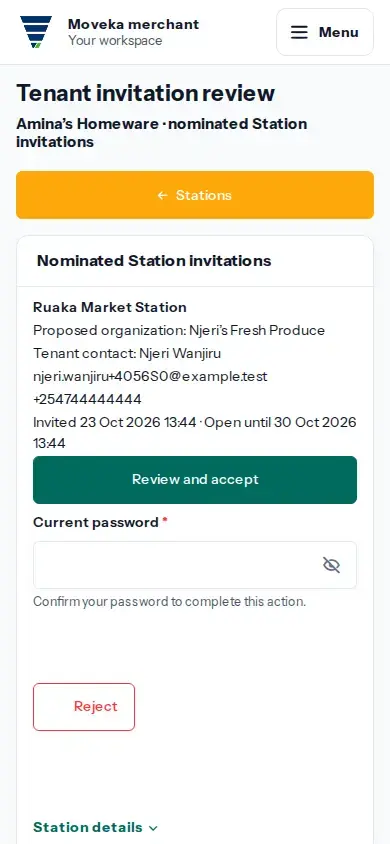
Choose what to do
- To accept, choose Review and accept. Check that the Station and account are correct, then complete the requested verification and choose Accept invitation. This creates the Station tenant relationship; it does not give the person who submitted the invitation access to your account.
- To reject, choose Reject and complete the requested verification.
- To leave it unresolved, close the review with Keep pending. The invitation remains available while it is open.
If the result is unclear, use the invitation’s Check this invitation result or return to Stations and review the current invitation state before acting again. An expired or no-longer-available invitation cannot be resolved from an old page.