Use this when a Station invites your operating account to store goods there. You need account-administrator access to respond. This is different from an invitation nominated by Moveka.
- Open Menu, choose Accounts, find the right organization and tap Open.
- On the account page, choose Stations. Under Invitations waiting for a reply, check the Station name, address and invitation date. Open Details to check the Station code.
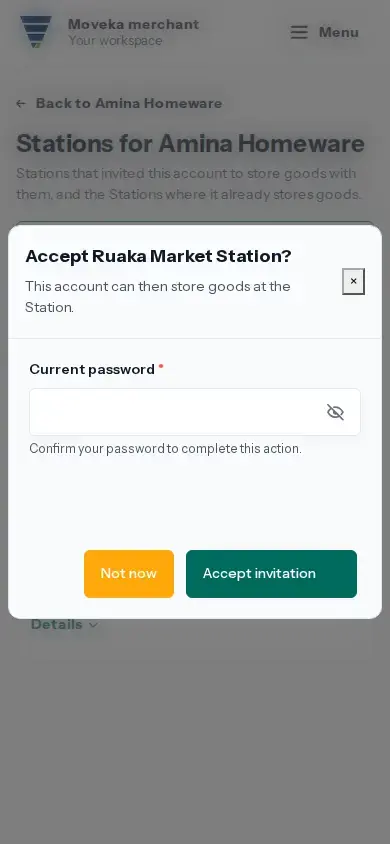
- If this account should store goods at that Station, tap Accept. Read the confirmation that accepting lets the Station store goods for this account, complete the requested security check and tap Accept invitation.
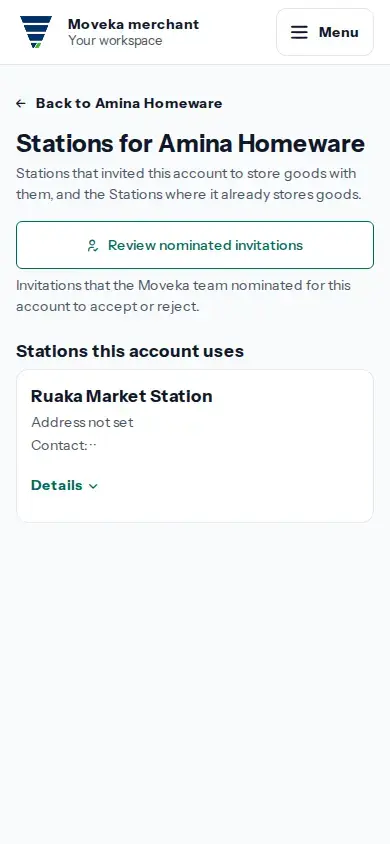
- Return to the Stations page and check that the Station now appears under Stations this account uses.
- If this account should not use the Station, tap Decline. Enter a reason in the form and tap Decline invitation. Check History for the declined invitation and recorded reason.
Accept and decline have different results. Accept creates a Station relationship so the Station can store this account’s goods. Decline records your reason and does not create that relationship.
If decline says a reason is required, enter it in the reopened form and submit again. If an invitation or form is no longer available, return to this account’s Stations page and check its current status before acting again. If the response buttons are missing, ask an account administrator with access to manage this account.